● Excel AI Agent Takes Over Real Workflows
“Excel wizard” works by words and even uses functions “precisely”… Claude for Excel latest demo core point
The core takeaway this article definitely has stored away (so you can read and try it right away)
Today’s content isn’t just at the level of “AI made Excel easier”—the key point is the flow in which
AI actually executes “formulas/functions/pivots/conditional formatting” inside Excel like a real workflow.
In particular, I’ll summarize these three things right in the article.
1) Calling the “Excel features themselves,” not relying on prompts, so the result works in Excel without instability
2) A structure that reduces hallucination concerns (the perspective is that AI calculates using “Excel functions,” not makes things up plausibly)
3) Automation becomes possible with a dashboard-like (traffic-light color changes) approach, leading to the conclusion that the company must prepare with “harness engineering”
In this article, I’ll also connect it to the “why this is competitiveness right now” from a global economy/AI trend perspective in a news-style format. And throughout the article, I’ll naturally weave in SEO keywords so they can be found immediately for practical work.
News 1) AI browsers & agents are spreading… and this time the target is “Excel”
Recently, the flow in which AI agents replace web surfing and are quickly integrated with various work tools has been accelerating. Among these, the point is that AI has started to directly handle the “core documents of companies” like Excel/PowerPoint.
Based on the original material, Claude (from the Anthropic group) announced/demoed a feature that “manipulates Excel inside Excel” (e.g., Claude for Excel). What’s surprising here is that it’s not just simple summarization or text generation—these tasks are executed in the “Excel way.”
– Create sheets
– Enter formulas/functions into Excel columns → calculation occurs inside Excel
– Create pivot tables (Pivot Table)
– Apply conditional formatting (e.g., yellow for over 100 million, red for below safety stock)
– Handle basic data operations like filtering/sorting using Excel functions
News 2) “Say it and Excel functions get inserted”—a method that reduces hallucination risk
In general, AI automation loses trust when there’s a stage where it “generates answers plausibly.” But the reason this demo is interesting is that it’s not about outputting calculation results as text—
the calculation is actually performed by embedding Excel formulas/functions.
The repeated message in the original text is this. “AI didn’t calculate and insert the numbers directly; it inserted formulas so that Excel would calculate them.”
Why this approach matters connects directly to real work.
– Results can be reproduced in Excel
– Easy to modify/verify
– Easier for managers/people in practice to check whether “this is really done in Excel”
– Better compatibility with Excel native features is easier to maintain
In other words, you can see it as a signal that AI is getting closer to the “execution logic of a work tool,” not merely “plausible writing.” This flow may well go beyond productivity automation (work automation) and extend to work standardization caused by AI.
News 3) Pivots, filters, sorting, conditional formatting… AI uses “Excel 3 greats” as “features,” not a “menu”
There’s a section that was especially emphasized in the original text. Among core Excel features (search/filter/sort) that skilled people frequently use, the hardest part in real work is usually pivot/conditional formatting.
This demo doesn’t show “pressing buttons like a person,” but rather, the filter is applied precisely to a specific delivery destination and conditional formatting also changes colors again when values change.
Example flow (summary of the original text):
– In an inventory management sheet, filter only for a specific delivery destination
– Create a pivot table: vehicle model (e.g., SUV/segment) × delivery destination × inventory amount structure
– Conditional formatting: represent colors based on inventory amount/safety stock 기준
– Even when numbers change, colors update automatically → it becomes a “traffic-light dashboard”
The most important point operationally is this. It’s not AI doing a rough visualization; it transfers Excel’s conditional expression/expression logic exactly to make a “living dashboard.”
News 4) Why “cancel/edit” becomes easier: processing in Excel feature units
The most stressful moment in AI automation is “undoing when you make a mistake.” The original text also gives off the nuance that if AI does something wrong, canceling it means long, inconvenient speech.
But this approach involves work being done in Excel function/feature units, so for example, if you want to change “Hyundai Mobis” to “Hyundai Transys,”
you can change only the values inside the filter/conditions and the result can switch to the correct direction again.
In other words, it’s not about developers “rewinding everything” as if they’re handling code tangles— there’s room for work users to edit in the way they do in Excel.
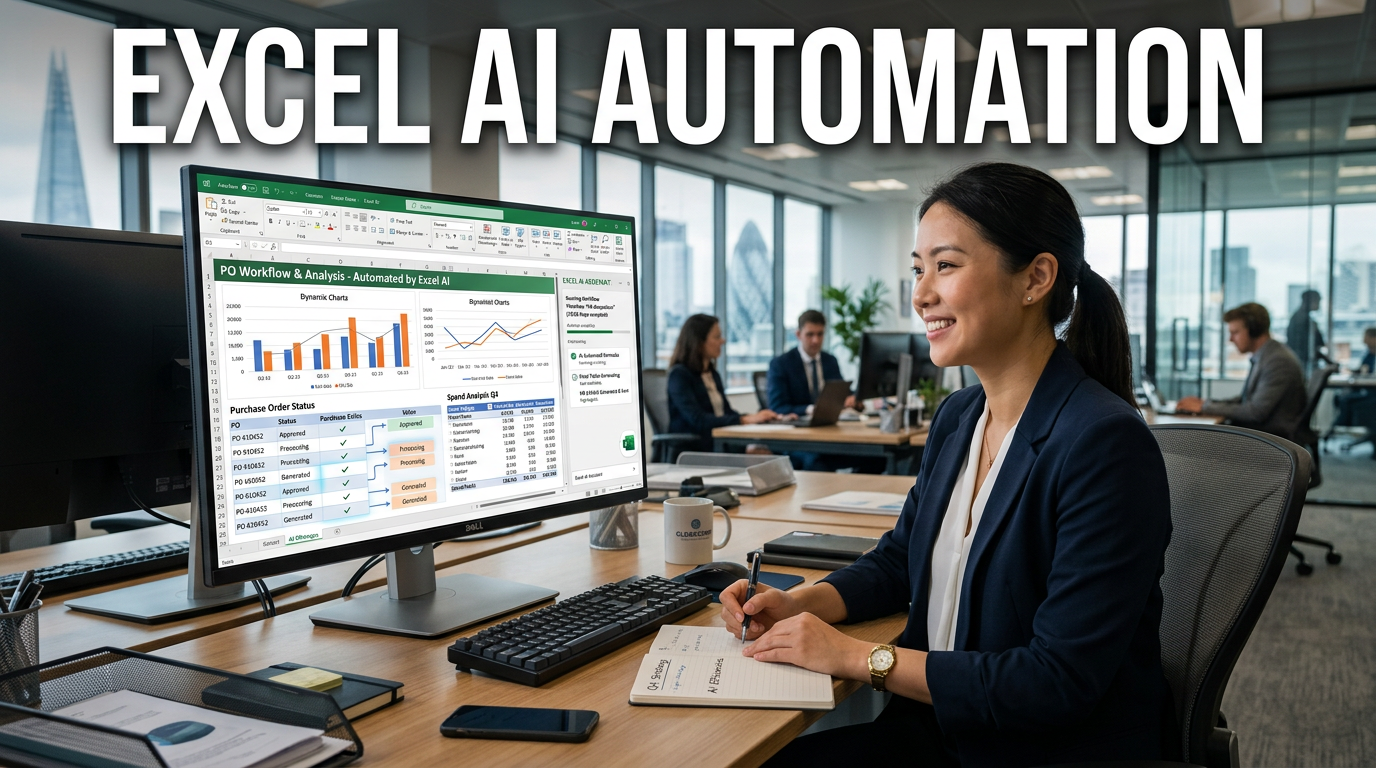
News 5) Purchase order automation: “Item code input → calculation → amount determination” connected natively in Excel
In the original demo, the most intuitive part is the “purchase order.”
– Enter the item code (part number) in column A
– The quantity/unit price/amount for that part number is automatically calculated on the side
– A sheet in the final purchase order format is completed
The important thing is that “making a purchase order in Excel” is originally very tedious. But the core is that AI didn’t just create a text template;
it implemented purchase order functionality using Excel’s calculation structure (functions/formulas).
News 6) Generating files by vehicle model: automation expands even into the VBA territory
Beyond data inside Excel, “creating a file from scratch” can’t be accomplished by simple prompts alone. The original text is clear on this point too.
– Work within a single file: possible by calling only Excel features
– File creation/external actions: an execution layer like VBA is needed
In the demo, there’s an approach where “if there are 19 vehicle models, generate files for each vehicle model.” So this is not prompt automation—
it has moved into a stage that automatically handles business operation units (creating/separating Excel files).
This part is very important from an organizational operations perspective going forward. Because it’s not just about “making one great Excel table”; how you split, distribute, and manage Excel determines the actual cost and time.
News 7) Harness engineering (work environment design)—the era of prompts ends and shifts to “organizational readiness”
The conclusion section in the original text is the core. Recently, the trend is strong that AI isn’t a stage where you’re done just by using prompts well; instead, you must design the work environment to get results.
The keyword introduced here is harness engineering (= designing a guide/environment structure that enables AI to do work well). Simply put:
– Provide documents/guidelines (work rules) for AI to reference
– Provide a glossary/word bank (professional terms, abbreviations)
– Organize context like company structure, goals, and dashboard locations
– Design in what format files are saved and in what folder/flow the AI should read them
– If possible, configure AI to self-review (collaboration/discussion structure)
As expressed in the original text, there’s also a direction like “attach AI next to AI for review.” This flow leads to the claim that AI transformation (digital transformation) must be prepared by organizations, not individuals.
News 8) Excel vs Google Sheets comparison: differences in “local resources” and “performance design”
There’s one more interesting comparison in the original text. When AI operates in Google Sheets, Google’s own resource/environment constraints can be involved, but the argument for Claude is that performance can come out stronger because “it’s running on my computer.”
Summarizing, it’s this perspective.
– Google Sheets based: shared web/cloud resources → can be limited
– Local execution nature: you can leverage more individual PC resources → may be advantageous for heavy work
This goes beyond a simple comparison—it connects to an economic/technical point: in choosing AI tools going forward,
“what environment you use and what resources you allocate” will determine the quality you actually feel.
From the perspective of investors/executives worldwide: why this change matters right now
If we interpret what this demo means through the lens of global economic/AI trends, it changes to one line like this.
“The bottleneck in ‘office productivity’ like reports/tables/dashboards is moving toward AI execution logic.”
The changes likely to follow as a result are below.
– Companies integrate AI as a “work system,” not just a “tool”
– Competitors lower costs and increase speed with quickly standardized workflows
– The gap in individual capabilities (whether someone is an Excel expert) may shrink
– Instead, organizations will need to prepare data organization/security/de-identification/permission systems/template standards
Especially since Excel is close to the “work language companies still use the most” worldwide, as Excel automation matures, the AI transformation speed across overall work could accelerate.
Additional summary that I see as more important than anywhere else in the original text (separate key takeaway)
The one “killer takeaway” I think should truly remain from this article is these three.
1) AI doesn’t “generate” Excel; it “executes Excel functions.”
→ This increases reproducibility/verifiability and boosts practical trust
2) As advanced features like conditional formatting and pivots get automated, they become dashboards
→ Not just simple automation, but the stage where “screens for decision-making” are produced
3) Instead of prompts, harness engineering (environment design) becomes the center of competitiveness
→ Compared with individual learning, organizational systems (documents/terminology/folders/review) have a high chance of determining success or failure
Main content I want to convey (today’s conclusion)
A flow like Claude for Excel is a signal that, going forward, AI is moving from “generating sentences” to “work execution (Excel native logic).” So companies should design how workflows are built in and how AI is reviewed—more than whether individuals can use AI well. This is the real-world version of harness engineering, and it becomes the battleground for productivity automation.
SEO perspective keyword natural insertion (reflected in context)
The topic today flows into “AI agents,” “productivity automation,” “digital transformation,” “work workflows,” and “data analysis automation.” Especially as automation of execution logic based on Excel progresses, it’s likely that internal company data will be rapidly organized into reusable forms like dashboards/pivots/purchase orders.
< Summary >
– The core of the Claude for Excel demo is that AI executes Excel features as Excel internal logic (functions/formulas)
– Pivot tables/filters/sorting/conditional formatting are created automatically, and when values change, colors/results are linked so it works like a dashboard
– Purchase order automation connects from part number input → creating an Excel calculation structure, greatly improving operational efficiency
– Separating files by vehicle model extends into the VBA area and evolves into a stage of automating file operations
– It’s not an era where prompts are enough—organizational readiness becomes important through harness engineering (work environment design)
– Depending on the Excel/sheet environment, performance/compatibility/constraints can differ, so choosing the execution environment also becomes strategic
[Go to related articles…]
- Excel automation and AI agents: key points for applying in corporate practice
- Why harness engineering is needed: organizational strategy after prompts
*Source: [ 티타임즈TV ]
– “와, 엑셀 능력자가 한 거랑 똑같은데 하실 겁니다“ (최지웅 유캔랩스 대표)