● AI productivity automation surge
How to Make AI Remember Even After the Meeting Ends: The Core Point of AI Work Innovation and Productivity Automation You Should Pay Attention to Now
If you have often had to explain things again because meeting notes were scattered, this article is exactly the answer.The core point is to go beyond using AI as a simple summarization tool and build meetings, calls, and emails into a single project memory, then connect that memory to Slack daily reports, presentation materials, and briefing videos.In particular, this article summarizes all of the following at once:
- The four levels of AI usage
- A project folder-based work memory structure
- The workflow in which AI agents create actual deliverables
- The criteria for turning repetitive work into automation
- An AI work system that non-developer roles can apply immediately
Using AI and Working with AI Are Different
These days, everyone uses AI.However, most people are still at the level of writing email drafts, summarizing meetings, or organizing ideas.This stage is, of course, useful.But if you stop there, you end up dealing with an AI that starts from scratch every time.You have to explain again today what you did yesterday, and you have to paste the same context repeatedly.In the end, AI does not become smarter; instead, the user repeats the labor of explanation.
The most important message from the original article is this:The value of AI depends not on “how quickly you get an answer,” but on“how long AI can remember the flow of your work.”
The Four Levels of AI Usage: Most People Are Still at Level 1 or 2
Development Team Lead Jaeho Jung divides AI usage into four levels.
Level 1. Asking Questions and Getting Answers
This is the most basic use, such as writing email drafts, making simple summaries, and generating ideas.It is the easiest to access and provides immediate value.
Level 2. Reviewing Files Together
This is a method of pasting documents, meeting notes, and memos and having AI analyze them.It enables more practical use in real work.
Level 3. Creating Results
AI produces actual deliverables such as reports, pages, small tools, and presentation drafts.From this stage, AI becomes not just a conversation partner but a production partner.
Level 4. Handing Over the Flow of Work
This is the most important level.Meetings, calls, and emails are not scattered but accumulated into one project context,and AI reads that flow and continues to the next action.In other words, AI becomes not a “tool that gives correct answers,” but a “system that carries the flow of work forward.”
The Problem: When the Meeting Ends, AI’s Memory Also Clocks Out
This is the part most people miss.The meeting ends, but the decisions disappear.A call happens, but the requests remain only in someone’s memory.Even when you ask AI, you have to explain everything from the beginning every time.
The reason this is a problem is not AI performance, but poor data structure.Even if AI is smart,if the information provided to it is scattered, the results will vary every time.That is why the important thing is not the model itself, but “where and how memory is accumulated.”
The Core Point Is Not the Chat Window, but Building Memory in Project Folders
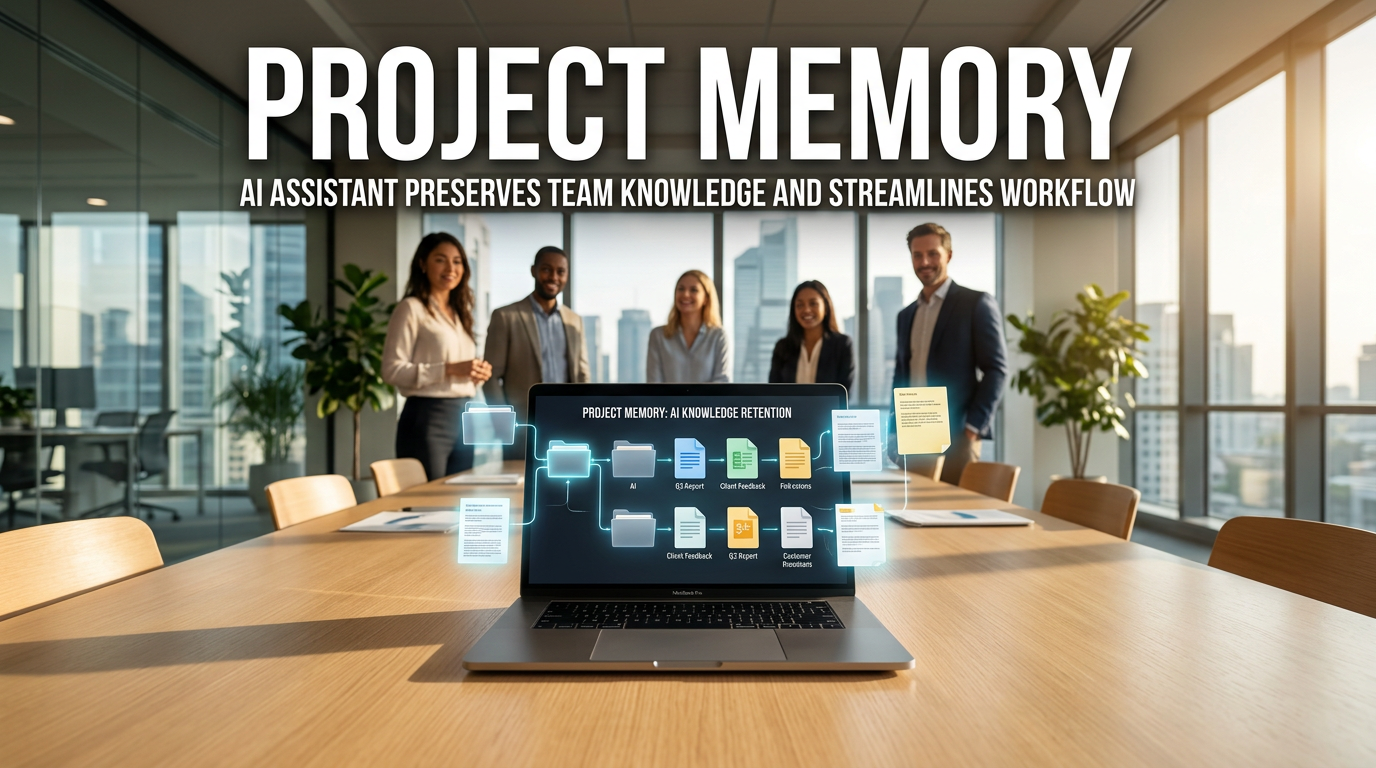
This is the most practical point in the article.Most people work by continuously asking questions in a chat window.However, once the conversation ends, the context in the chat window is cut off.That is why Development Team Lead Jaeho Jung gathers meeting, call, and email records by date in project folders.
This structure is useful because:
- AI can immediately read previous context even when a new session starts
- Existing decisions can be compared without being overwritten
- New requests can be distinguished from modifications to existing decisions
- Tasks to be done and facts to be verified can be separated
In other words, the goal is not to make memory better, but to create a structure that can be reread.
How One Call Becomes the Next Action
The example introduced in the article is quite impressive.Suppose you had a 13-minute call with a client.That call does not simply end as passing conversation.
AI stores the original call transcript and summary,compares them with previous emails and existing decisions,determines whether the latest request is new,and organizes the next actions that require human approval.
For example, a single comment such as“The presentation materials feel too ordinary”is not treated as a simple complaint.AI separates whether it is a request to revise an existing deliverable,a change in planning direction,or an issue that requires additional research.
This is the real form of AI work innovation.Generative AI goes beyond writing good sentencesand instead organizes work context and converts it into next actions.
What It Means for Reports to Come Out Automatically
The area where this method is most strongly felt in real work is daily reporting.Development Team Lead Jaeho Jung sends a daily report to Slack every day at 6 p.m.,but he does not write it from scratch every time.
AI reads the project context accumulated throughout the day,creates drafts by project,and the person only reviews and sends them.
The important point here is the order of automation.Many people think, “Let’s automate first,” but in reality, the opposite is true.You should first assign work that has clear standards, repeats regularly, and leaves evidence that can be checked.
In other words, AI should first handle work that is:
- Verifiable rather than merely annoying
- Repetitive rather than complex
- Based on records rather than intuition
That is how automation runs reliably.
How Far Can AI Go When You Hand Over Results?
This is why the title of the lecture is “How to Hand Over Results.”Many people only ask AI for drafts.But this example goes one step further.
Starting from one context accumulated in a project folder,AI can produce:
- Presentation scripts
- Animated slides
- Shareable PDFs
- Briefing videos with voice and subtitles
In other words, multiple deliverables can be generated from one factual starting point.The important point is that the first request is not “finish this.”The core point is to first create materials that set the direction,then divide the boundary between what humans are responsible for and what AI will handle.
This is not just a content creation method.It is closer to designing a work process using AI agents.
Is This Only Possible for a Development Team Lead? Non-Developer Roles May Feel the Impact Even More
Many people may think:“Isn’t that only possible because he is a development team lead?”However, the most persuasive point in the article is actually the opposite.
The core point is not development ability, but:
- The habit of leaving text records
- The habit of organizing records by project
- A structure that allows AI to read first
In other words, this is not a matter of coding skills, but a matter of how work is done.And non-developer roles may recover even more time.The more meetings, documents, and customer communication a role has, the greater the impact.
The role of AI is not to remove responsibility.It is to reclaim time for judgment.
Economic and Industrial Signals Companies and Individuals Should Watch Now
This content is not simply an introduction to how to use AI.From a broader perspective, it is a signal that the structure of work itself is changing.
First, the standard for productivity automation is changing.In the past, it was normal for people to organize, report, and deliver information directly.Now, the structure is shifting toward AI remembering context, creating drafts, and humans making final judgments.
Second, a company’s competitiveness will depend not on “whether it adopts AI,” but on “how well it structures work data.”Companies with good record structures will achieve results faster than companies that simply use good AI.
Third, the B2B SaaS and enterprise AI markets are likely to grow further.Tools that connect meeting notes, call records, emails, and project recordsmay become central to enterprise AI and productivity platforms.
Fourth, AI transformation may accelerate among non-developer roles.Because it does not require writing code but only a structure for records and judgment,an era is opening in which frontline workers directly design AI workflows.
The economic keywords to watch here are:AI agents,productivity automation,B2B SaaS,work innovation,and digital transformation.These five keywords will continue to be important to watch together.
The Most Important Point That Other News or YouTube Content Often Misses
The real core point of this article is not “AI has become smarter.”It is that “we must create a work environment where AI can remember.”
Most content focuses on what prompts to give AI.But in practice, there is something more important than prompts.It is how context is stored.
In other words:
- More than what you ask AI to do
- What AI can reread
- Where previous decisions are recorded
- How a new session begins
These are far more important.
Only with this perspective can AI be used not as a tool, but as a “system that continues work.”This is not merely a productivity tip.It is a point that can change the way companies operate in the future.
To Apply This Immediately, Start Like This
You do not need to build a massive automation system from the beginning.Just write down one question:
“What am I explaining again and again?”
The moment you find the answer to this question,that work becomes the first target AI should remember.If there is something you repeatedly explain to team members,something you have to explain again to customers,or something you paste into AI from the beginning every time,that is a candidate to turn into project memory.
Then, if you:
- Save the records by date
- Group them by project
- Make the next session read them
- Change the structure so humans only approve
your work efficiency may improve faster than expected.
Summary
AI is evolving from a tool that simply gives good answers into a system that remembers work flows and connects them to actual deliverables.The core point is to build memory not in the chat window, but in project folders.When meetings, calls, and emails are recorded so AI can reread them, reports, presentations, and briefings can be automated.What matters is not prompts, but how context is stored, and the effect is especially strong for non-developer roles.AI productivity automation, work innovation, B2B SaaS, AI agents, and digital transformation are likely to become increasingly important.
[Related Articles…]
- How AI Agents Are Changing the Core Point of Work Automation
- Why B2B SaaS Is Focusing on AI Productivity Innovation
*Source: https://maily.so/josh/posts/1gz2edm5z3q?from=email&mid=pzlq3932mrk