● AI Agent Demand Surge
Why GenSpark AI Is Getting Attention: Practical Ways Office Workers Can Use an AI Agent That Handles Research, Images, Sheets, and PPTs
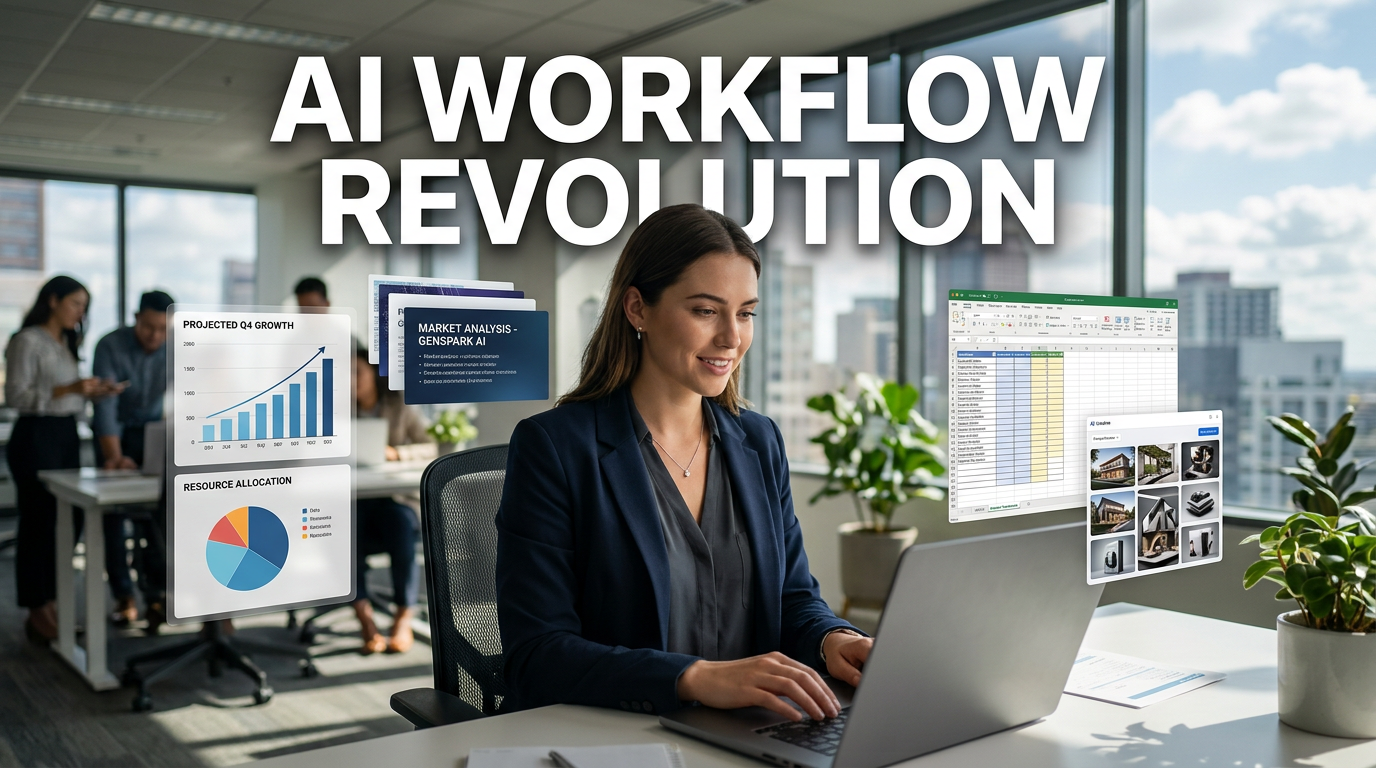
In this article, we explain why GenSpark AI is evaluated not as a simple AI slide-making tool, but as an agentic AI platform that handles office workers’ research, data analysis, image generation, reports, and PPT creation all at once.
In particular, we will look at how it connects more than 70 AI models and over 150 tools to distribute tasks automatically, how the Super Agent actually works, how to use AI Sheets and AI Images, and how to create high-quality slides while saving credits, all from a practical work perspective.
The most important keywords in today’s enterprise AI market are not simple chatbots, but work automation, productivity innovation, digital transformation, AI investment, and agentic AI.
GenSpark AI is a service that shows this trend in a very realistic way.
1. Core News: GenSpark AI Is Now Closer to an “AI Task-Execution Agent” Than an “AI PPT Tool”
GenSpark AI was originally widely known as a service that creates PPT slides with AI.
But the current GenSpark AI goes far beyond simply turning documents into something pretty.
When users describe the result they want, the AI researches, organizes data, creates images, and even produces reports or slides.
The key point here is that when a user says, “Find the materials for me,” it does not just give an answer; it creates results that are much closer to actual work deliverables.
Most conventional generative AI tools mainly provide text answers in a chat window.
By contrast, GenSpark AI’s Super Agent can deliver research results as presentation slides, data sheets, reports, flowcharts, HTML, or dashboards.
This difference is quite significant for office workers.
That is because, in office work, what matters more than “getting an answer” is “creating a submit-ready deliverable.”
2. GenSpark AI’s Biggest Strength Is Integration and Orchestration
If you describe GenSpark AI in one word, it is integration.
Inside GenSpark, you can use more than 70 AI models, including LLMs, image, video, music, and audio-related models.
It also connects over 150 tools to handle tasks such as research, document writing, image generation, data analysis, and slide creation.
However, simply gathering many models together does not make a good AI agent.
The real key is orchestration.
In simple terms, orchestration is a method where AI acts like a conductor.
When a user enters a prompt, GenSpark AI decides on its own which model to use, which tools to connect, and in what order to carry out the work.
For example, if you ask, “Research AI agent market trends and turn it into a 20-slide presentation,” it does more than just write text.
- First, it searches for and organizes related information.
- It analyzes market size, major companies, investment trends, and competitive structures.
- It builds the report structure.
- It designs the slide flow.
- It generates the necessary images or charts.
- It organizes everything into a finished PPT-style deliverable.
The difference is that GenSpark AI combines multiple AI models and tools in this process.
In other words, it is not one smart AI doing everything alone, but rather several specialized AIs and tools being arranged according to the situation.
3. How Does the Super Agent Handle Work?
GenSpark AI’s core feature is the Super Agent.
The Super Agent does not simply spit out an answer like a normal chatbot.
It breaks work into stages and handles it the way a team leader or project manager would.
The Super Agent’s Work-Processing Loop
- Stage 1: Planning
After receiving the request, it first separates out what tasks are needed. - Stage 2: Role Assignment
It assigns the necessary tasks such as search, research, analysis, image generation, and slide creation to the appropriate models and tools. - Stage 3: Execution
It creates results using the most suitable AI models and tools for each task. - Stage 4: Observation and Review
It checks whether the generated result matches the user’s request. - Stage 5: Re-execution
If anything is lacking, it works again using other tools or another strategy.
This structure matters because the more complex the work, the harder it is to produce a perfect result in one shot.
With conventional AI, users often had to give instructions again if the answer was wrong or incomplete.
But GenSpark AI’s Super Agent has a loop that reviews itself and reruns the task when needed.
That is why even in long workflows that go from research to slide creation, the flow does not break in the middle.
4. Why GenSpark AI Is Drawing Attention in the Enterprise AI Market
GenSpark AI is notable not only in terms of functionality, but also in terms of business performance.
Based on the original article, GenSpark has secured a cumulative $545 million in funding and is valued at around $1.6 billion.
Converted into Korean won, that is more than 200 billion won.
It was also introduced as having reached an annual recurring revenue, or ARR, of around $250 million within one year after launching its Workspace product in April 2025.
That is roughly 380 billion won.
The meaning of these numbers is simple.
In the AI services market, what matters now is no longer “Do users try it for fun?” but “Do companies and office workers keep paying to use it?”
GenSpark AI is sending a strong signal at this point.
Especially from the perspective of the global economic outlook, the extent to which companies cut costs and improve productivity is likely to depend greatly on the pace of AI agent adoption.
Services that reduce repetitive work, shorten report-writing time, and automate data analysis and content creation can directly affect a company’s labor cost structure and workflow.
5. AI Sheets: A Feature That Makes Excel Beginners Feel Like Data Analysts
One especially practical feature in GenSpark AI is AI Sheets.
AI Sheets is a bit different from simply attaching AI to Excel.
Conventional spreadsheet AIs based on Copilot, Claude, or Gemini are often assistance tools that sit beside an existing sheet.
By contrast, GenSpark AI’s AI Sheets are centered on the chat interface.
When a user makes a natural-language request, the AI finds, retrieves, organizes, analyzes, and even charts the data.
Main Roles of AI Sheets
- Data Collection
It retrieves needed data from web research or connected data repositories. - Data Entry
It organizes the collected data into a table and fills it into the sheet. - Data Cleansing
It performs tasks such as removing duplicates, filling in blanks, and standardizing formats. - Analysis Method Selection
It determines on its own which analysis approach best fits the data. - Visualization
It organizes the results into graphs and charts that are easy to view.
The range of connectable services is also broad.
It can connect with productivity tools such as Google Drive, Calendar, Notion, email, Slack, Salesforce, GitHub, and Jira.
Through MCP, it can also connect with external data or data from authoritative institutions.
This feature is especially useful for marketing, sales, planning, and operations teams.
That is because even office workers with limited data analysis skills can ask things like, “Analyze customer inquiry data from the last six months and summarize the main complaint types and improvement priorities.”
6. AI Images: A Content Creation Feature That Lets You Use Multiple Image Models in One Place
Another feature worth noting is AI Images.
There are so many image-generation models these days.
But subscribing to each service separately, learning each model’s characteristics, and writing separate prompts for each one is quite cumbersome.
GenSpark AI’s AI Image app lets you use multiple image-generation models and editing tools in one place.
Based on the original article, you can choose and use various image-generation models such as Nano Banana, GPT Image 2, Flux 2, and QN Image 2.
It also provides image-editing tools such as background removal and text removal.
In particular, the auto-prompt feature is very useful in practice.
Even if the user only roughly describes the image they want, auto-prompt turns it into a more specific and refined image-generation prompt.
For example, if you enter only “Create a futuristic image that feels like AI is having a meeting,” auto-prompt strengthens scene composition, lighting, style, color tone, and character placement to make it suitable for actual generation.
For office workers who are not familiar with image generation, this feature removes a major barrier to entry.
7. The Difference Between GenSpark AI and Existing AI Services
To understand GenSpark AI, the fastest way is to compare it with the AI services we already use.
GenSpark AI vs. General-Purpose AI Chatbots
General-purpose AI chatbots such as ChatGPT, Claude, and Gemini are good at answering questions.
These days, their reasoning capabilities are also much better, and step-by-step thinking is far more sophisticated.
But fundamentally, they provide answers inside a chat window.
GenSpark AI, when given the same request, is more focused on creating a deliverable rather than just answering.
It is centered on turning research into reports, presentation materials, sheets, and charts.
Of course, within GenSpark AI, you can also use the AI chat app and converse like a general chatbot.
But the platform’s center of gravity is more on producing work deliverables than on conversation.
GenSpark AI vs. Vibe Coding Tools
Vibe coding tools such as Claude Code, Codex, and Cursor are also representative examples of agentic AI.
However, they are fundamentally developer-friendly tools.
Their problem-solving approach is closer to coding, development requirement documents, backend configuration, frontend implementation, and dashboard creation methodologies.
That means non-developers need some learning and time to use them freely.
By contrast, GenSpark AI is more tailored to general office workers.
It creates deliverables centered on documents, slides, sheets, images, and reports rather than terminals or code.
It connects more directly with marketing, planning, operations, sales, education, and consulting work.
GenSpark AI vs. AI Slide-Making Tools
AI slide-making tools such as Gamma and MiriCanvas are strong at turning a somewhat organized plan into slides.
By contrast, GenSpark AI can get involved from the planning stage.
It handles research, logical structure design, storyline building, image generation, and slide creation within one flow.
So the final result does not have to be a PPT.
It can expand into many formats such as reports, Excel sheets, meeting minutes, flowcharts, HTML, and dashboards.
8. How to Use GenSpark AI Well While Saving Credits
To use GenSpark AI well, it is better to give strategic instructions rather than just saying, “The AI will figure it out.”
The reason is clear.
The more the AI has to think, search, and review, the more tokens and credits it consumes.
In other words, the less context the user provides and the more vaguely they instruct it, the more work the AI has to fill in on its own.
That can increase credit consumption significantly.
Credit Comparison Based on Real Slide-Creation Cases
- Simple prompt + Super Agent Standard model
About 2,300 credits used to create around 15 slides. - Detailed meta-prompt + Super Agent Ultra model
About 1,200 credits used to create around 40 slides. - AI Slide app guide mode
About 1,100 credits used to create slides after a consulting-style process.
What is interesting is that even though a better model was used and more slides were created, credits cost less when the prompt was more specific.
That is because the AI had to spend less energy on research and reasoning.
So to use GenSpark AI efficiently, it is best to first use AI chat for basic research and structuring, then give detailed instructions to the Super Agent or AI Slide based on the organized content.
9. It Is More Efficient to Bundle Slide Revisions Together
Even when revising finished slides, the credit difference can be significant depending on the instruction method.
In the original example, when one page was edited specifically in AI edit mode, about 300 credits were consumed.
When one page was revised through the chat window, about 440 credits were consumed.
By contrast, when six pages were revised at once through the chat window, about 530 credits were consumed.
In other words, it is much more efficient to revise multiple pages together rather than one page at a time.
In practice, this approach is good:
- First, scan the entire slide deck and note the pages that need changes.
- Organize revision requests by page all at once.
- In the chat window, instruct revisions for multiple pages in one batch.
- If content revisions matter more than design, request structural changes first.
- Finally, adjust tone and manner, colors, and chart style all at once.
10. AI Slide Guide Mode Is Good When You Have Time but Want Higher Quality
GenSpark AI’s AI Slide app includes a guide mode.
When guide mode is turned on, it goes through several steps before creating the slides.
- Pre-analysis.
- Content and evidence collection.
- Story structure design.
- Design style selection.
- Verification and sample review.
At each stage, you can refine the direction by discussing it with the AI.
People who already have a clear plan can enter detailed instructions precisely.
On the other hand, people whose ideas are still unclear can organize their thoughts through conversation with the AI.
However, it takes more time.
In the original case, it took about one hour.
If you need a quick draft, it is better to ask the Super Agent, but if the presentation is important, it is better to use guide mode.
11. Skill Feature: Turning Repetitive Work into Your Own AI Work Template
One of the most useful long-term features in GenSpark AI is Skills.
Skills are a feature that lets you save a frequently used workflow and run it again later with a simple command.
For example, if you have tasks such as making weekly industry reports, monthly marketing performance analysis slides, or competitor news summary reports, you can turn them into a Skill.
This reduces the need to enter a well-made prompt and workflow steps from scratch every time.
When creating a Skill, you can attach existing slides or documents as reference materials and explain the implementation method you want.
After the Skill is completed and saved, you can select and reuse it later.
You can also import and use Skills made by others or built-in default Skills.
For example, using Skills such as data analysis, chart creation, design optimization, and SQL query writing makes it possible to handle work that would normally be difficult to do alone in an AI-agent style.
12. The Most Important Point That Other YouTubers or News Outlets Don’t Explain Well
The real value of GenSpark AI is not that it has many models, but that it reduces the trial and error that occurs when turning incomplete user instructions into work deliverables.
Many pieces of content focus on the features themselves, such as 70 models, 150 tools, and the Super Agent.
But from a practitioner’s point of view, what matters more is: “How much less annoying does this make my work?”
Most office work has many intermediate deliverables.
Research is done separately, tables are organized separately, graphs are made separately, images are created separately, PPT design is done separately, and final review happens separately.
In this process, the most time-consuming part is not creative thinking, but moving between tools and stitching the results together.
GenSpark AI’s strength is reducing this connection cost.
In other words, the essence of productivity innovation is not “AI makes PPTs look pretty.”
It is reducing the friction in the workflow that runs from research to report.
Another important point is the credit structure.
Many users look at AI agents and only ask whether “the result is good.”
But if you want to use them over a long period, it is much more important whether you can create the same result at a lower cost.
From that perspective, GenSpark AI is a structure where careless use is convenient but expensive, while well-designed use can make it cheaper and improve quality at the same time.
Ultimately, the person who will use AI well in the future is unlikely to be the one who writes the fanciest prompts, but rather the one who breaks work into smaller pieces and provides context accurately to reduce unnecessary AI reasoning costs.
13. Types of Office Workers Who Would Benefit from GenSpark AI
- Planners
Useful for market research, competitor analysis, business proposals, and executive-report slide creation. - Marketers
Suitable for campaign research, ad images, performance analysis sheets, and content planning documents. - Sales and Business Development Staff
Can be used for client company analysis, proposal creation, industry trend summaries, and sales material production. - Operations Staff
Helps reduce repetitive reports, process documents, meeting minutes, and data organization work. - Consultants and Researchers
Can connect research, structuring, insight generation, and presentation creation in one flow. - Office Workers Studying AI
Good for experiencing multiple AI models and the agentic AI trend on one platform.
14. Practical Cautions When Using GenSpark AI
Even though GenSpark AI is close to a complete product, that does not mean you should leave every task to it unconditionally.
Especially for important reports or materials submitted externally, fact-checking is essential.
The research content the AI provides should be checked for sources and recency.
Data such as figures, investment amounts, market size, and company valuation should be rechecked using original links or authoritative sources.
Also, even if the slide design is excellent, it may differ from the company’s internal tone and manner or brand guide.
Therefore, a human should act as the final editor before submission.
An AI agent is best viewed not as a tool that completely replaces work, but as a practical partner that greatly reduces draft creation and repetitive tasks.
15. Practical Usage Strategy: This Is the Most Efficient Way to Use It
- Step 1: Research first with AI chat.
Use a lower-credit method to establish basic information and structure. - Step 2: Clearly define the purpose of the deliverable.
The tone changes depending on whether it is for a presentation, executive report, or client proposal. - Step 3: Create a detailed meta-prompt.
Specifically write the target audience, length, table of contents, core message, and visualization direction. - Step 4: Let the Super Agent or AI Slide handle execution.
Request something that is at the level of a usable result, not just a draft. - Step 5: Bundle revisions together.
It is more efficient to collect revision points and instruct them all at once rather than editing one page at a time. - Step 6: Save repetitive work as Skills.
Turn frequently created reports or slide structures into Skills to reduce future work time.
< Summary >
GenSpark AI is not a simple AI PPT creation tool, but an AI agent platform for office workers that connects research, data analysis, image generation, document writing, and slide creation.
Its core strength is integration and orchestration, which place more than 70 AI models and over 150 tools in the right situation.
The Super Agent processes complex work step by step through a loop of planning, execution, review, and re-execution.
AI Sheets helps interactively from data collection to cleansing, analysis, and chart creation.
AI Images lowers the barrier to content creation with multiple image models and auto-prompt functionality.
To save credits, it is better to prepare pre-research and detailed meta-prompts rather than handing everything over vaguely.
For slide revisions, it is more efficient to request multiple pages together rather than one page at a time.
Repetitive work can be saved as Skills to increase long-term workflow automation.
Ultimately, the core value of GenSpark AI is not that it answers questions well, but that it helps office workers create submit-ready deliverables faster.
[Related Articles…]
- How AI Agents Are Reshaping Work Automation Trends
- The Key Variable in Global Economic Outlook and Corporate Productivity Innovation
*Source: [ 티타임즈TV ]
– 젠스파크AI는 어떻게 리서치부터 이미지, 슬라이드 제작까지 한 번에 처리할 수 있을까?